
Quick Review:
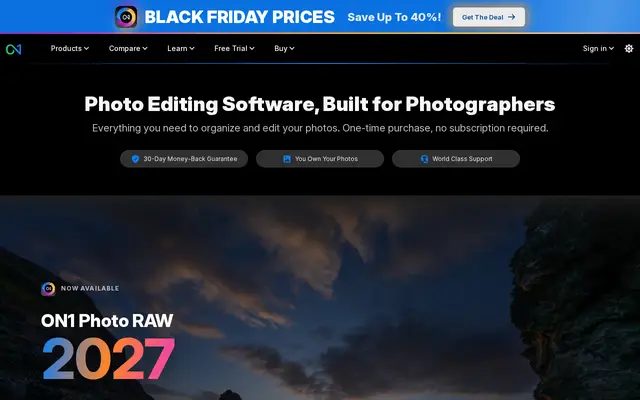
ON1 Photo RAW 2027 is a $99.99 one-time purchase photo editor with RAW processing, layers and photo organizing. MAX, with extra features, was $149.99 when we checked (normally $169.99).
- Best For
- Organizing and editing photos in a desktop workflow.
- Skip It If
- Anyone expecting every cloud or AI feature, future versions or team access with the standard license.
- Starting Price
- $99.99 one-time (Photo RAW 2027)Checked November 6, 2026.
- Money-Back or Refund
- A 30-day return policy for software purchases.
Top 2 Pros
- $99.99 one-time purchase for the standard edition.
- A clear comparison of standard, MAX and subscription features, including install counts.
Top 3 Cons
- The one-time license doesn't include future yearly versions or MAX-only features.
- Cloud features and plugins have their own requirements.
- AI cleanup and noise reduction can leave artifacts.

Deep Dive:
What It Is
Desktop photo organization and RAW/JPEG editing, with separate standard Photo RAW and MAX editions and a choice between a version-specific one-time lifetime license and subscriptions
How It Works
A useful editing day starts by preserving original photographs, selecting a working set and making adjustments that can be reviewed before export. Noise reduction, masking and sharpening should be inspected at realistic output size rather than judged only by a small preview. A good result for a landscape does not establish a good result for every portrait or high-ISO file. This is a proposed evaluation grounded in the published feature set; we did not install ON1, process a photograph or measure rendering speed. An edited image should also remain an honest representation where the use requires documentary accuracy.
Seen on ON1 Photo RAW’s own product pages, help center and documentation, read November 6, 2026 (listed under Sources). We haven’t used ON1 Photo RAW ourselves.
Key Features
- Photo Organization And RAW/JPEG Editing
- Layers, Effects, Masking And Noise-Reduction Tools
- Standard Standalone Versus MAX Plugin Workflows
- MAX-Specific Culling, Restoration And Cloud Generative Tools
- Version-Specific One-Time Lifetime Licensing Or Separate Subscription Options
Setup & Learning Curve
Check the current hardware, operating-system and camera-file requirements for the intended machine, then preserve an independent copy of originals and any existing editing catalog. Decide whether the work is standalone or needs plugin compatibility with Photoshop/Lightroom, which the comparison places in MAX. We downloaded nothing, activated no license and uploaded no image. Computer-installation counts come from the selected product documentation and do not authorize sharing a serial number. A license should match the actual user and deployment rather than a studio assuming every employee can use one purchase. Before Committing: A future authorized evaluation should use a small representative set: detailed foliage, a high-ISO image, skin tones and a difficult mask if those occur in the real workflow. Compare the edited export with the original and inspect artifacts, color and metadata. Verify that any plugin route is supported by the selected edition and host version. Keep the current USD order and return deadline. Do not rely on a marketing restoration claim as proof that an irreplaceable damaged photograph can be recovered, and do not discard another catalog or backup before testing a migration.
Integrations
The buy-page comparison distinguishes standard standalone editing from MAX plugins and cloud extras. MAX adds plugin compatibility, the AI Culling Assistant, Restore AI and cloud generative rendering; a subscription can add future versions and cloud synchronization within its particular scope. Those distinctions matter for cost and data flow. a one-time lifetime license is not the same thing as guaranteed permanent availability of every cloud-dependent capability. No Adobe host application, cloud-sync account or camera library was connected, and no private client photograph was submitted to a generative service.
Support
ON1, Inc. publishes English product information, an EULA and a specific return policy. Its site promotes long experience, privacy and human support, but this review does not independently audit those claims or guarantee a response time. The EULA treats software as licensed and generally supplied as-is, with limited liability and a separate media warranty that is not an image-quality guarantee. The public community/Plus terms have additional content and membership conditions; they are not silently applied as the refund rule for the standard one-time lifetime order. We did not contact support or test a refund.
Real-World Use Cases
- Evaluating A Standalone RAW Editing And Organization Workflow
- Choosing Standard Or MAX Based On Actual Plugin Needs
- Preserving A Version-Specific License Without Assuming Future Annual Upgrades
What It Costs
$99.99 one-time (Photo RAW 2027), checked November 6, 2026
Prices checked November 6, 2026, from ON1 Photo RAW’s own pricing page unless noted. Prices change often, so check the official page before you buy.
Check current pricing and plans on ON1 Photo RAW’s official site →
- Photo RAW 2027 is $99.99 as a one-time purchase (checked November 6, 2026).
- Photo RAW MAX 2027 was $149.99, down from $169.99. ON1 also offered a $20-off coupon by email through November 11.
- MAX subscriptions and Photo Studio are separate products. A one-time 2027 license includes updates for that version, not future yearly upgrades. Standard installs on two computers and MAX on three.
What We Like
- $99.99 one-time purchase for the standard edition.
- A clear comparison of standard, MAX and subscription features, including install counts.
- A 30-day return policy for software purchases.
What to Watch Out For
- The one-time license doesn't include future yearly versions or MAX-only features.
- Cloud features and plugins have their own requirements.
- AI cleanup and noise reduction can leave artifacts.
The Fine Print
- Software and subscriptions can be returned within 30 days of the order date; for preorders, it starts at release.
- Canceling a subscription within 30 days of ordering gets a full refund; after that, payment is final and access runs through the paid term.
- The license doesn't transfer ownership and forbids unauthorized sharing or copying.
Who It’s Best For
Organizing And Editing Photos In A Desktop Workflow.
- Photographers who want a desktop editor with organizing, layers and RAW processing.
- People who prefer a one-time license and understand the standard vs. MAX difference.
Who Should Skip It
- Not for anyone expecting every cloud or AI feature, future versions or team access with the standard license.
The Main Alternative
Aftershoot
Aftershoot, which we've also reviewed, takes a different approach to speeding up photo editing. Compare how each handles your files, workflow and pricing.
What it costs: No New Competitor Price Quoted
Is It Right for You?
Pick ON1 Photo RAW If You…
- want the standard one-time editor and it works with your photo workflow.
- know which features need MAX or a subscription and will check AI edits.
Pick Aftershoot If You…
- need every future version or MAX, plugin or cloud feature.
- want a different editing workflow.
Our Take
ON1 Photo RAW 2027 is a $99.99 one-time purchase photo editor with RAW processing, layers and photo organizing. MAX, with extra features, was $149.99 when we checked (normally $169.99). Software purchases can be returned within 30 days. Back up your originals and check AI edits carefully.
Our review is a starting point, not the last word. Before you decide, see ON1 Photo RAW’s own plan details and terms on its official site.
Side by Side
| Company | Best for | Starting price | Trial / refund |
|---|---|---|---|
| ON1 Photo RAW Checked by Vetteroo | Organizing And Editing Photos In A Desktop Workflow | $99.99 one-time (Photo RAW 2027) | Official 30-Day Software Refund Window; Add-On Exclusions |
| Aftershoot | Compare The Specific Workflow; Not An Identical Product | No New Competitor Price Quoted | Read The Applicable Current Product Terms |
Prices can change often. Check official pages for current prices.
What We Checked
- ON1 Photo RAW's pricing, product pages and terms, read November 6, 2026
- Trustpilot, searched November 6, 2026 (no usable score for ON1 Photo RAW)
- Aftershoot's details: read on its official pages on November 6, 2026 (comparison only; not reviewed)
- The other official and outside pages listed under Sources (links checked November 6, 2026)
How We Researched
We researched ON1 Photo RAW's official pricing, terms, product pages, help pages and outside reviews. We haven't used ON1 Photo RAW ourselves, so this is a research-based review, not a hands-on test.
More in Photo & Video Editing
See All Reviews →Or start with our Best AI Video Generators guide.
Ready to Try ON1 Photo RAW?
- $99.99 one-time (Photo RAW 2027)
How We Review
We read the company's own terms, test the sign-up or booking steps where we can, and compare it with alternatives. A commission never changes what we write. Read our disclosure.