
Quick Review:
SparkReceipt is a good option for organizing receipts and expense documents. Its current pricing is clearer than older reviews suggest, with separate document and credit limits.
- Best For
- People organizing receipts for an accounting workflow.
- Skip It If
- Anyone looking for tax advice, full accounting controls or unlimited automation.
- Starting Price
- Pro $6.90 monthly or $69 annually for one userChecked November 6, 2026.
- Free Plan or Trial
- A seven-day trial is available for the standard plans.
Top 3 Pros
- Web prices show the full yearly cost and the price of extra users.
- Receipt limits and credits are explained separately.
- SparkReceipt's help pages explain that you can still browse and export your records after canceling.
Top 3 Cons
- Amounts and categories may need fixing by hand.
- Pro's document limit is shared across the account and doesn't grow with each user.
- Unlimited scanning is subject to fair use and doesn't include unlimited bank-processing credits.
Affiliate link. How we get paid
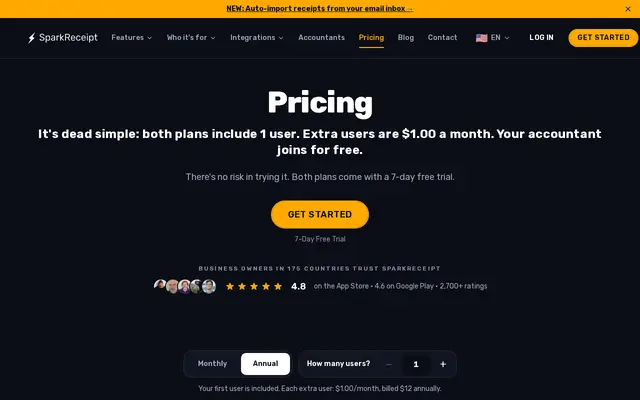
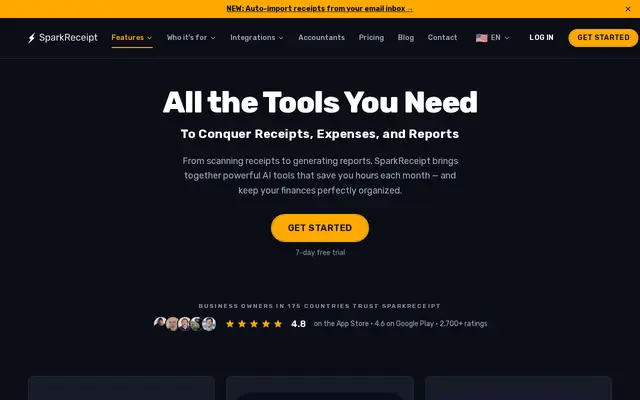
What You’ll See on Their Site
Last Checked: 11/12/2026

Deep Dive:
What It Is
A receipt and expense-document tool that scans, categorizes and organizes records, with bank matching and accounting export functions that still require human review
How It Works
A user captures a receipt, checks the merchant, date, total, currency and tax interpretation, then assigns the appropriate category or project. A useful routine also matches documents against bank transactions and investigates missing evidence or duplicates. Successful scanning is only the start: a plausible category can still be wrong for a particular business. Keep original documents and a review trail rather than treating an AI-created expense report as final tax advice.
Seen on SparkReceipt’s own product pages, help center and documentation, read November 6, 2026 (listed under Sources). We haven’t used SparkReceipt ourselves.
Key Features
- Receipt And Invoice Scanning
- Email Document Collection
- Bank Statement Matching
- Expense Reports And Mileage Tools
- Accounting Connections And Exports
Setup & Learning Curve
Choose a plan from real document and transaction needs, not an old unlimited-plan review. Establish categories with an accountant where appropriate, and check access before sharing records. Use representative non-sensitive examples in a future evaluation to inspect extraction, duplicate handling and exported records. Check supported bank coverage separately rather than assuming every institution connects. This research connected no inbox, bank, accounting system or personal financial record. Before Committing: Check a faded receipt, a multi-line invoice, a duplicate and a foreign-currency document in a future evaluation. Review a bank match and accounting export against the originals. Check cancellation in the actual billing channel and understand the trial-conversion refund deductions. This review uploaded no financial documents and connected no private account.
Integrations
The current pricing page lists QuickBooks Online, Xero, workflow tools, webhooks and an API, but a listed connection is not proof that every field maps correctly. Standard credit allowances and document limits are different units. The terms prohibit reverse engineering the API or automating uploads outside permitted methods. Verify what is sent to each integration and reconcile the resulting records independently.
Support
Outside feedback is generally favorable about receipt organization, with complaints about performance and allowances also worth checking. Earlier pricing reviews can be out of date because the official tariff changed in September 2026. Current official help clearly separates web cancellation from Apple and Google billing, and the legal refund formula is more limited than a full money-back promise. We did not measure recognition accuracy or contact support.
Real-World Use Cases
- Organizing Receipts Before Accountant Review
- Matching An Expense Document To A Bank Transaction
- Exporting A Checked Expense Report With Original Evidence
What It Costs
Pro $6.90 Monthly Or $69 Annually For One User, checked November 6, 2026
Prices checked November 6, 2026, from SparkReceipt’s own pricing page unless noted. Prices change often, so check the official page before you buy.
Check current pricing and plans on SparkReceipt’s official site → Affiliate link
- The current official web prices, effective September 24, 2026, are USD. Pro costs $6.90 monthly or $69 annually for one user, with 50 documents per month shared across the account. Elite costs $12.90 monthly or $129 annually for one user, with document scanning subject to fair use.
- Extra users cost $1 monthly or $12 annually each; an accountant can join without a paid seat. Pro includes 100 monthly credits per user and Elite 200; bank statement transactions and some import or other operations use credits separately from receipt document allowances.
- A seven-day trial is available for the standard plans. Founder-led setup is a separate $400 one-time service plus the annual Elite subscription: the page explicitly shows $529 initially and $129 yearly thereafter for one user, without a free trial. Applicable VAT/GST is additional. Official facts checked November 6, 2026.
Affiliate link. We may earn a commission at no extra cost to you. How we get paid
What We Like
- Web prices show the full yearly cost and the price of extra users.
- Receipt limits and credits are explained separately.
- SparkReceipt's help pages explain that you can still browse and export your records after canceling.
What to Watch Out For
- Amounts and categories may need fixing by hand.
- Pro's document limit is shared across the account and doesn't grow with each user.
- Unlimited scanning is subject to fair use and doesn't include unlimited bank-processing credits.
The Fine Print
- If your trial turns into a paid web subscription, you can ask for a refund within 15 days. You'd get 90% of what you paid, minus $0.15 for each document processed in the paid period; if that uses up the amount, there's no refund.
- Other web billing issues and Founder pack refunds are handled case by case. The Founder onboarding service and its bundled yearly Elite plan don't use the trial refund rule. App Store and Google Play purchases follow those stores' refund processes.
- Cancel wherever you subscribed. SparkReceipt's help says paid features last through the paid period or trial; after that you can't add new documents, but you can still browse and export the ones you have. Keep your own backups anyway, and note that canceling isn't the same as asking for a refund.
Who It’s Best For
People Organizing Receipts For An Accounting Workflow.
- Individuals and small teams who will check the amounts and categories it pulls out.
- People who want to collect and export documents, not a guarantee of accurate bookkeeping.
Who Should Skip It
- Not for anyone looking for tax advice, full accounting controls or unlimited automation.
The Main Alternative
Expensify
Expensify, which we've also reviewed, is another expense tool to compare for approvals, accounting connections, reimbursements and receipt storage. A receipt organizer and a full expense-management system don't always offer the same controls.
What it costs: No New Competitor Price Quoted
Is It Right for You?
Pick SparkReceipt If You…
- want your receipts organized and will check what it extracts and how it's categorized.
- have checked that the document, credit and user limits fit your workload.
Pick Expensify If You…
- need a different approval or reimbursement workflow.
- can't work within SparkReceipt's plan limits or refund deductions.
Our Take
SparkReceipt is a good option for organizing receipts and expense documents. Its current pricing is clearer than older reviews suggest, with separate document and credit limits. Choose it to make your records easier to keep and review, not because it promises perfect tax accuracy or unlimited processing.
Our review is a starting point, not the last word. Before you decide, see SparkReceipt’s own plan details and terms on its official site. Affiliate link
Side by Side
| Company | Best for | Starting price | Trial / refund |
|---|---|---|---|
| SparkReceipt Checked by Vetteroo | People Organizing Receipts For An Accounting Workflow | Pro $6.90 Monthly Or $69 Annually For One User See Price (affiliate link) | Seven-Day Standard Trial; Conditional Trial-Conversion Refund |
| Expensify | Compare The Specific Workflow; Not An Identical Product | No New Competitor Price Quoted | Read The Applicable Current Product Terms |
Prices can change often. Check official pages for current prices.
What We Checked
- SparkReceipt's pricing, product pages and terms, read November 6, 2026
- SparkReceipt's Trustpilot profile, read November 6, 2026
- Expensify's details: read on its official pages on November 6, 2026 (comparison only; not reviewed)
- The other official and outside pages listed under Sources (links checked November 6, 2026)
How We Researched
We researched SparkReceipt's official pricing, terms, product pages, help pages and outside reviews. We haven't used SparkReceipt ourselves, so this is a research-based review, not a hands-on test.
More in Bookkeeping Software
See All Reviews →Or start with our Best Small-Business Accounting Software guide.
- Patriot Software Vetteroo Our Pick
- Zoho Books Vetteroo Our Pick
- Bean Counter Checked by Vetteroo
- BillingNow Checked by Vetteroo
- Chaser Checked by Vetteroo
- Dext Checked by Vetteroo
- FreshBooks Checked by Vetteroo
- Invoice Ninja Checked by Vetteroo
Ready to Try SparkReceipt?
- Pro $6.90 Monthly Or $69 Annually For One User
Affiliate link. We may earn a commission at no extra cost to you. How we get paid
How We Review
We read the company's own terms, test the sign-up or booking steps where we can, and compare it with alternatives. A commission never changes what we write. Read our disclosure.